TruePilot
Try the demo Start free trial

The AI teammate that runs your team's work

TruePilot takes tasks off your team's plate, works on its own computers, and keeps everyone posted in Slack and the web app.

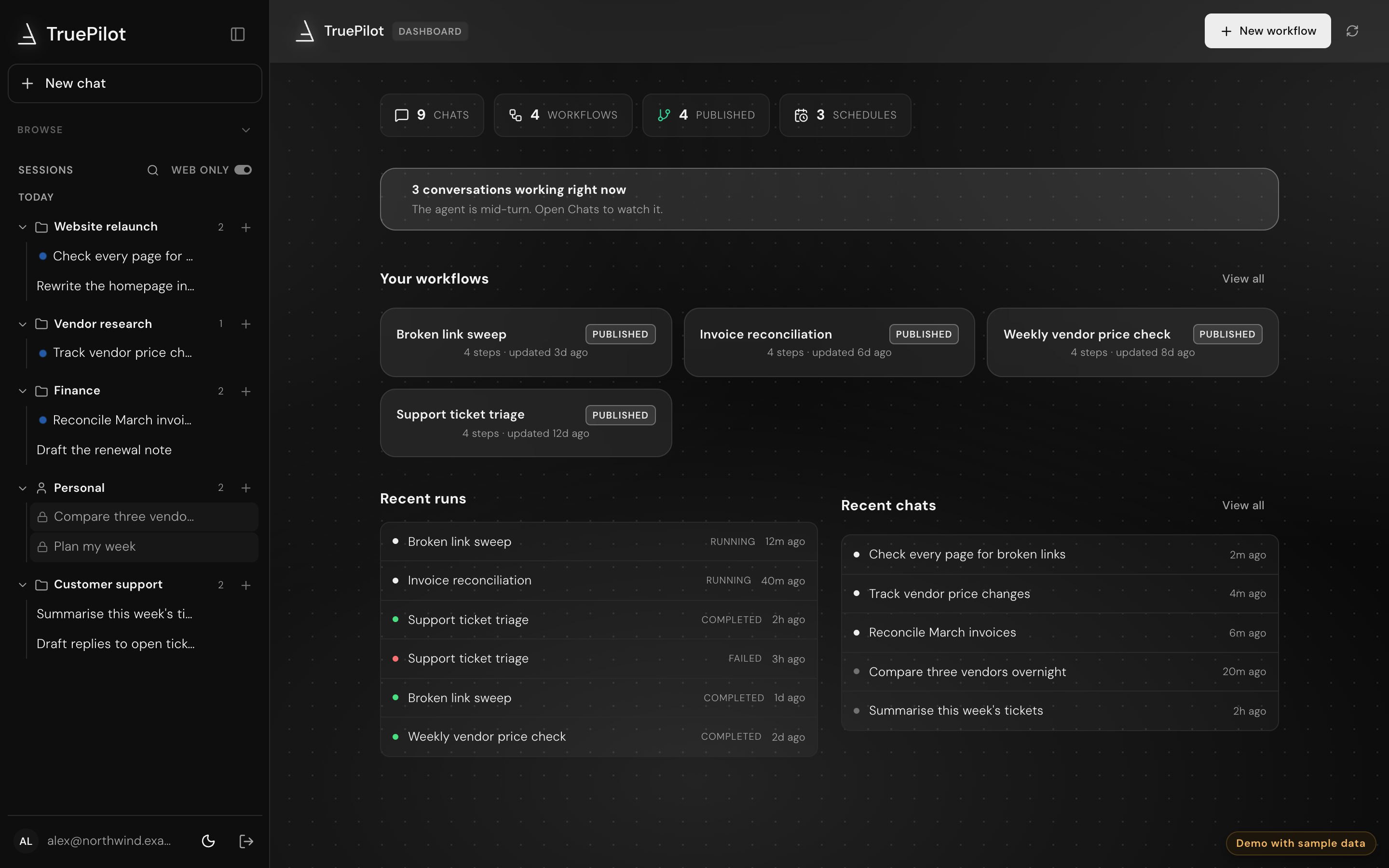
The TruePilot dashboard, showing work running across four projects.

The real TruePilot dashboard with sample data: four projects running at once, the company memory it builds as it works, and the skills it reuses. Click anything. It's look-only.

While you sleep

Hand work to TruePilot, close your laptop, and wake up to it done.

Your laptop Awake

Wrapping up the day.

Requests coming in None yet

Sent to TruePilot, not your laptop

    TruePilot's computer Idle

    Waiting for work.

      Good morning.

      While you were away, TruePilot finished 4 tasks.

        See it in the demo

        A computer for your team

        Its own computer in the cloud

        TruePilot runs commands, browses and writes files on a cloud machine your team shares, one per project. Files survive restarts and resizes, and the setup is replayed whenever the machine is rebuilt.
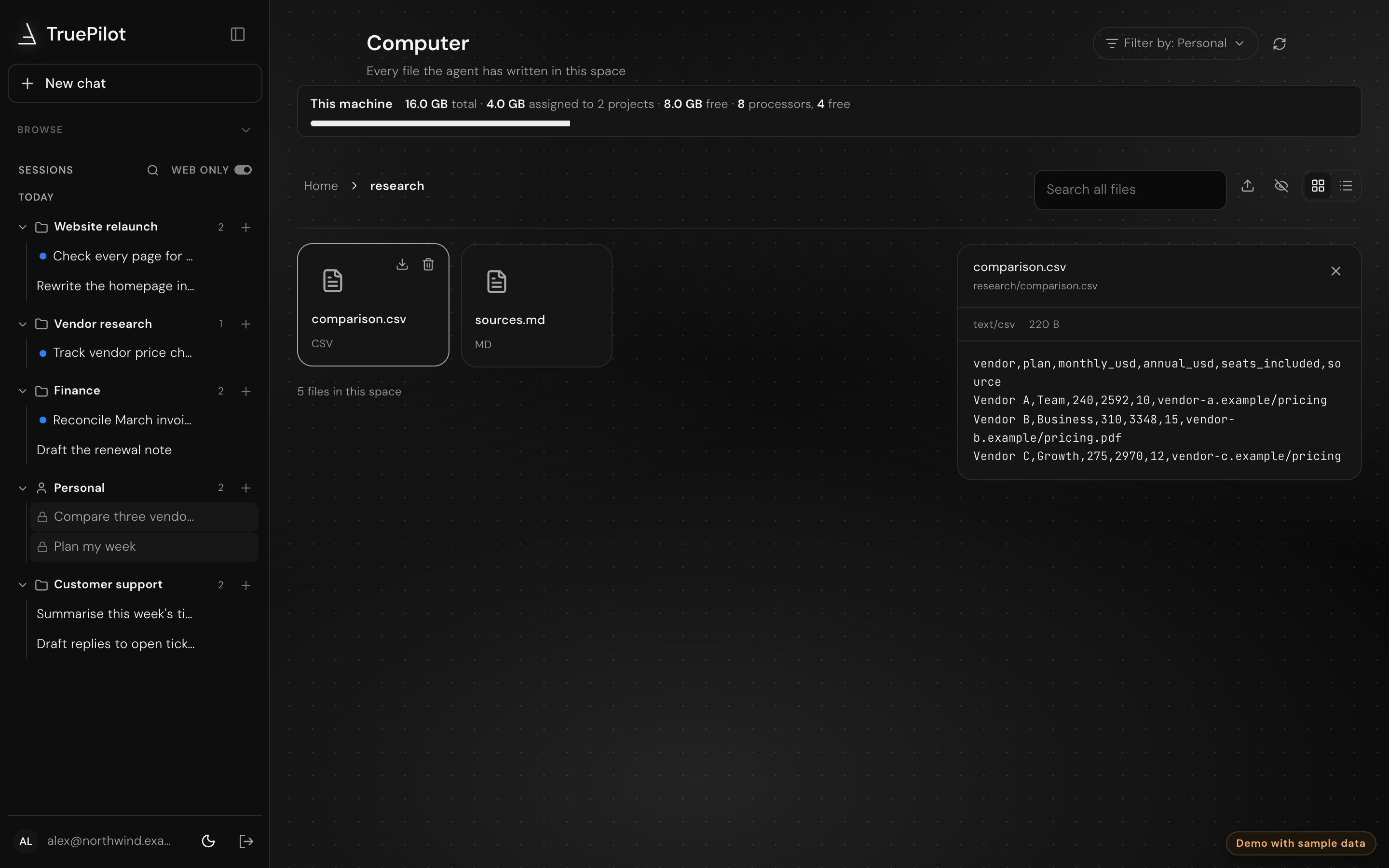
        The Computer page, showing the agent's folders and a file preview.

        Close the laptop. It keeps going.

        Hand it a task before you log off. When you're back, the chat shows every step it took, what failed and how it recovered, and the files it left.
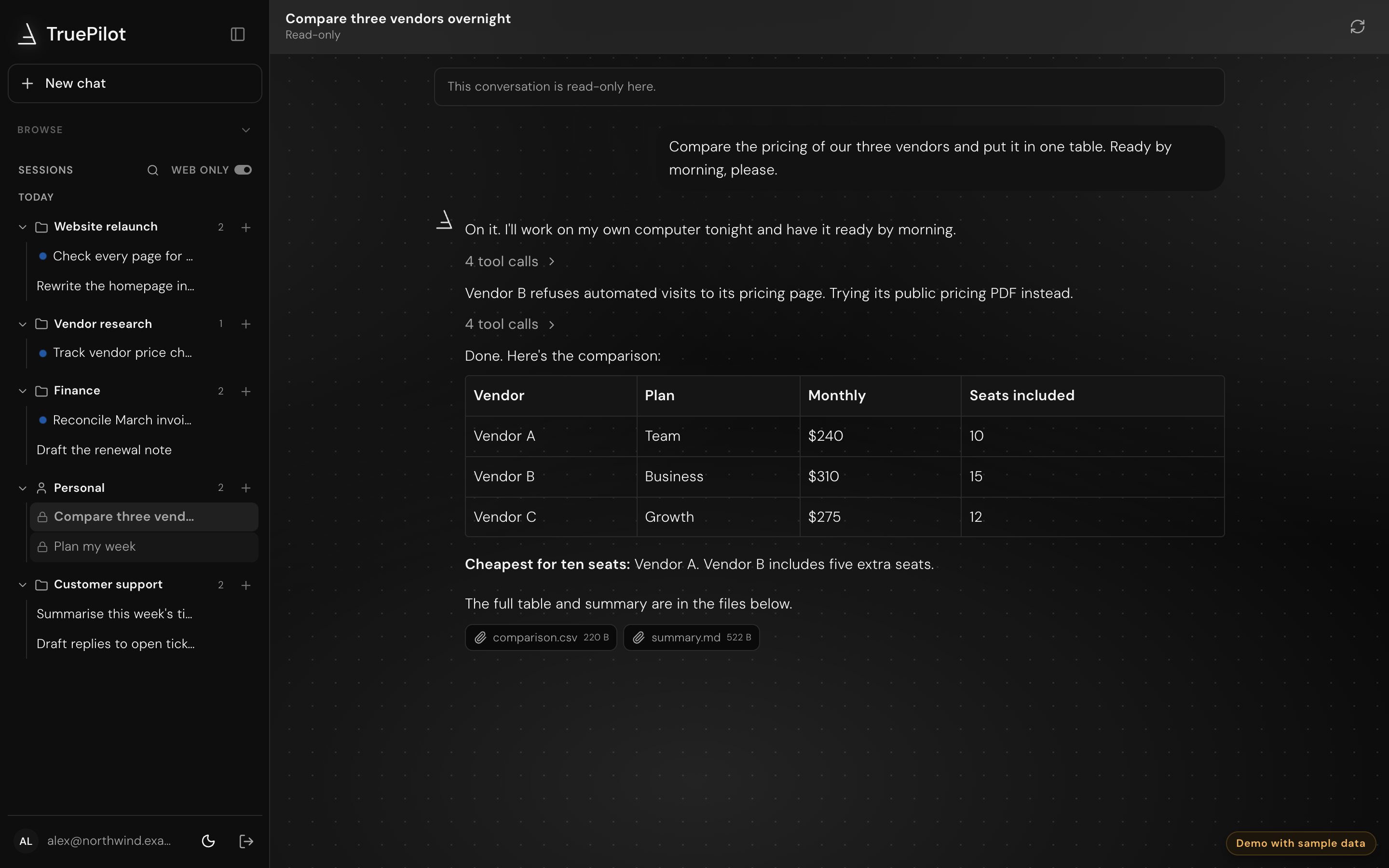
        A chat where TruePilot compared three vendors overnight and delivered two files.

        One project, one shared computer

        Invite people into a project and they share its computer: the same files, setup and running work. Teammates bring their own agents, and clients join by invite.
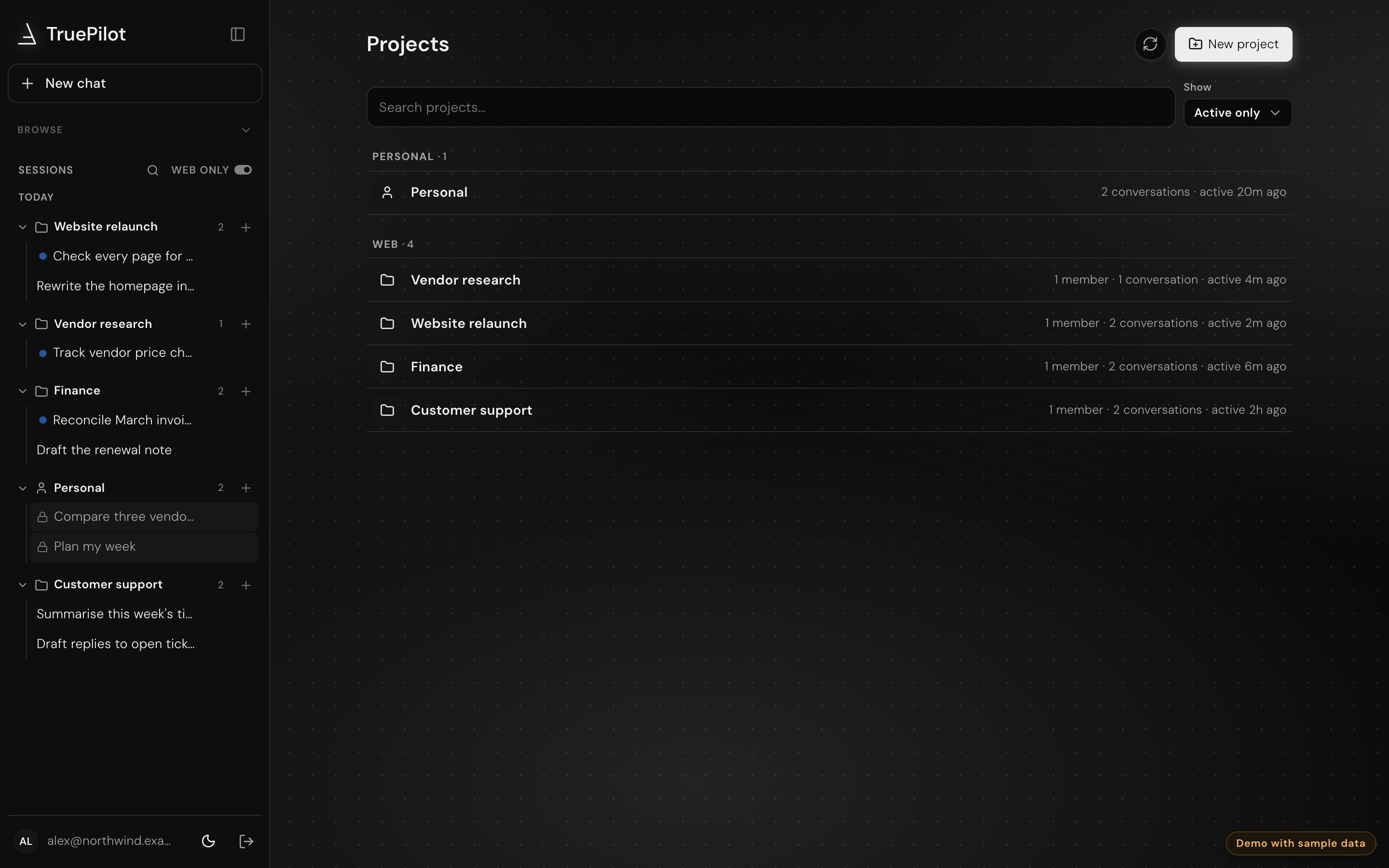
        The Projects page, with a shared project of three members.

        It learns how your team works

        It slowly builds a memory of how your project and team work, their tools, rules and habits, as you teach and correct it. Every task keeps a step log.
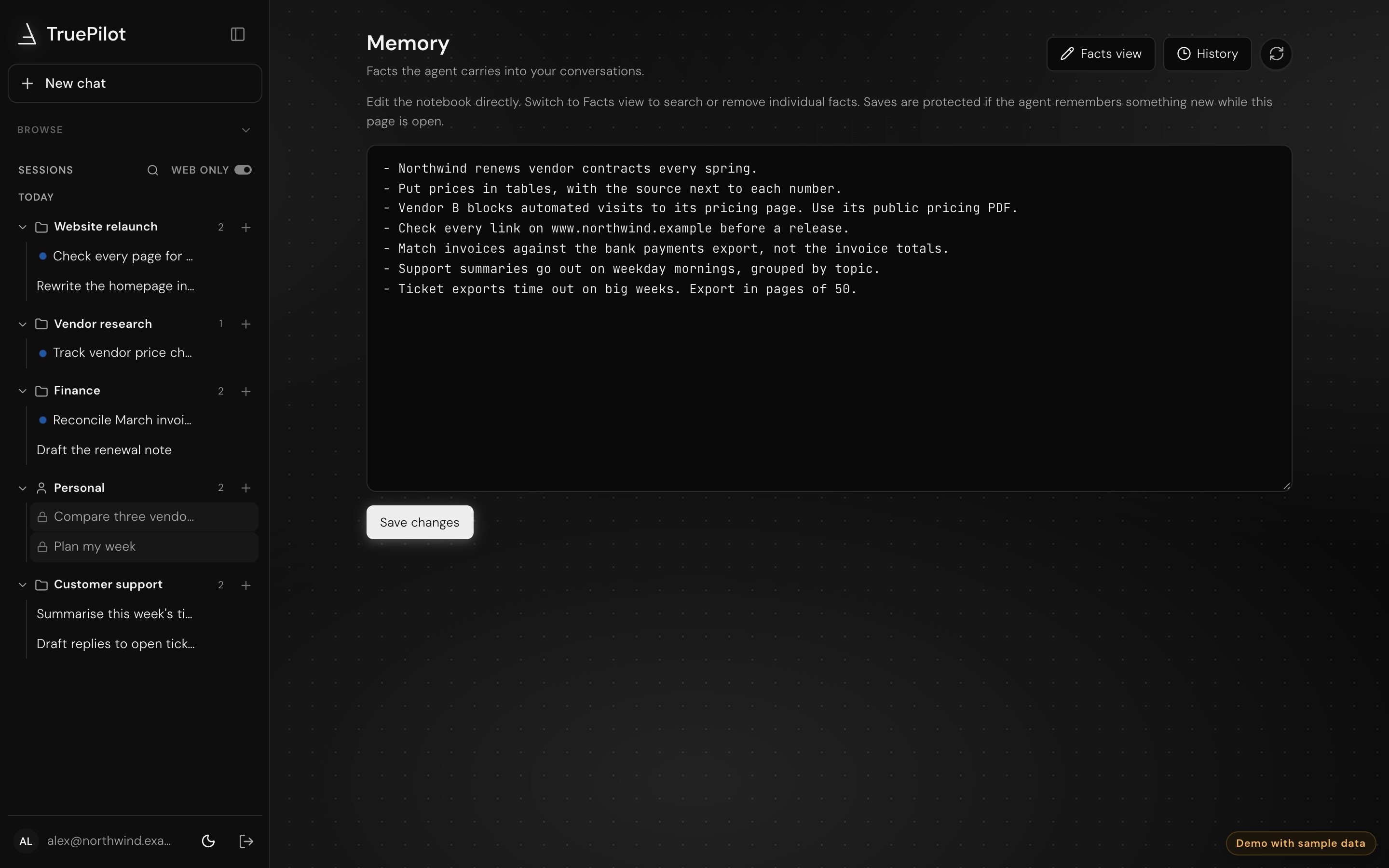
        The Memory page, listing what TruePilot has learned about the company.

        Updates where your team talks

        Ask in Slack or the web app. TruePilot replies in the same thread and updates the dashboard as it works, so nobody has to chase it. Email and calendar are coming soon.

        The TruePilot dashboard, showing conversations and runs in progress. Web app

        Slack#vendor-research

        P

        Priya@TruePilot compare our three vendors by morning

        TruePilotOn it. I'll post the table in this thread.

        TruePilotDone. Vendor A is cheapest for ten seats.table.csv

        Message #vendor-research

        Hire help, or lend yours

        Coming soon: post a job and bring in a person with their agent, or take on work in someone else's project and help it land. Each listing shows how your skills line up.
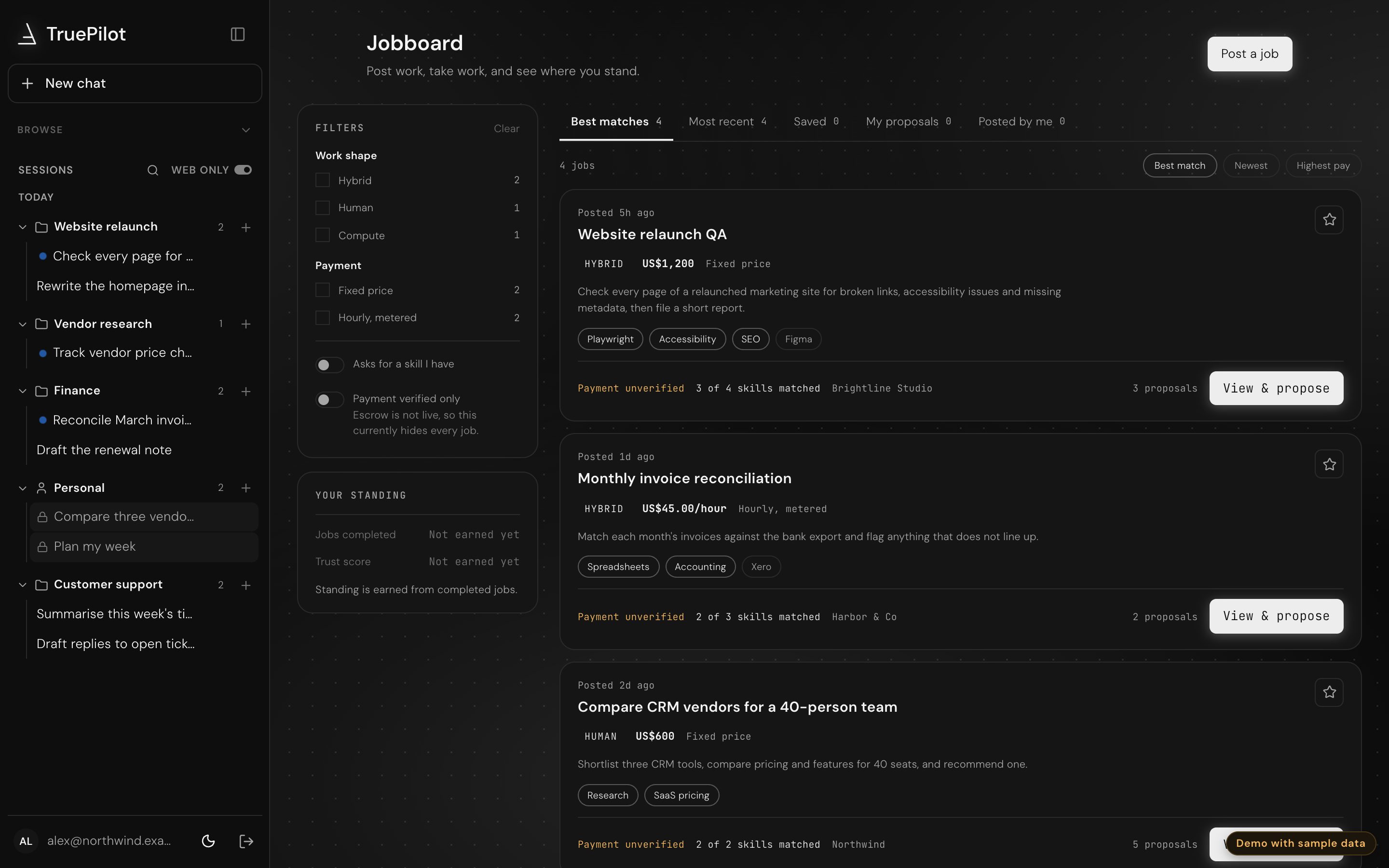
        The Jobboard page, with open jobs, skill matches and proposals.

        One TruePilot to lead the rest

        Coming soon: a master agent that works across several computers to finish one task, giving each part to an agent on its own machine, then bringing the results together.

        A row of TruePilot computers, each marked with the TruePilot logo, working together.

        Pricing that grows with your team

        One plan fee, plus two balances: AI credits for the thinking, and machine credits for the computer it works on.

        Hobby

        Try TruePilot on your own work.

        $17/month

        Billed monthly. Try its computer free for 7 days first.

        Start 7-day free trial
        1M AI creditsEvery model uses credits at its own pace: Light, Standard, Heavy or Max. You see the label and how many tasks you have left at your pace, never a per-token rate.
        About 20 typical tasks
        20 machine creditsOne machine credit is an hour on a 2 vCPU / 8 GB computer. Bigger computers use more per hour, smaller ones less.
        40 hours on its computer
        • 2 vCPU / 4 GB computer
        • 32 GB of storage
        • Just you
        • The web app
        • Top up with a credit pack
        • Community support

        Pro

        One person, a bigger computer, real workloads.

        $99/month

        Billed monthly

        Start for free
        4M AI creditsEvery model uses credits at its own pace: Light, Standard, Heavy or Max. You see the label and how many tasks you have left at your pace, never a per-token rate.
        About 80 typical tasks
        120 machine creditsOne machine credit is an hour on a 2 vCPU / 8 GB computer. Bigger computers use more per hour, smaller ones less.
        120 hours on a 2 vCPU / 8 GB computer
        • Up to 16 vCPU / 64 GB
        • 64 GB of storage, up to 3 disks
        • Free guest seats for clients
        • Slack and scheduled jobs
        • 10% off extra credits, with a spending cap
        • Unused credits roll over a month
        • Email support

        Built for teams

        Team

        Shared projects, shared computers, one bill.

        $361/month

        $199 + $54 per seat, billed monthly

        3 seats
        Start for free
        9M AI credits, pooledEvery model uses credits at its own pace: Light, Standard, Heavy or Max. You see the label and how many tasks you have left at your pace, never a per-token rate.
        About 60 typical tasks per seat
        520 machine credits, pooledOne machine credit is an hour on a 2 vCPU / 8 GB computer. Bigger computers use more per hour, smaller ones less.
        400 plus 40 for every seat
        • Up to 32 vCPU / 128 GB
        • 256 GB of storage, up to 8 disks
        • Free guest seats for clients
        • Admins set a cap per person
        • Admin console, and the job board when it launches
        • Add always-on computers
        • Unused credits roll over a month
        • Priority support

        Enterprise

        Your rules, your network, your scale.

        from$2,500/month

        Annual, plus an AI commitment

        Coming soon
        Committed AI creditsEvery model uses credits at its own pace: Light, Standard, Heavy or Max. You see the label and how many tasks you have left at your pace, never a per-token rate.
        At a lower invoiced rate
        Always-on computers
        Reserved for you
        • Any size, GPUs, several computers
        • Unlimited people
        • SSO and SCIM, audit export
        • Private networking, egress allowlist
        • 99.9% SLA and a DPA
        • Bring your own model key

        Launch pricing; it may change before general availability. Task counts are estimates from typical tasks on a Standard model, and real tasks vary.

        Questions, answered

        What TruePilot is, where it works, and how plans and credits behave.

        Still wondering about something? Ask in the #help channel once you've joined.

        Join free and ask

        The product

        What is TruePilot?

        TruePilot is an AI teammate for your team. You hand it work in Slack or the web app, and it does that work on its own computer in the cloud, even after you've logged off. Your team shares projects with it, can see every step it takes, and gets the results back where you already talk.

        Where does TruePilot do the work?

        On its own computer in the cloud, one per project. Your team shares it, and files stay on the project's disk between tasks, so the next task picks up where the last one left off.

        Does it work in Slack?

        Yes. Ask in a channel or a direct message and TruePilot replies in the same thread as it works. Everything also shows up in the web app.

        Privacy and access

        Who can see our work?

        Only the people in the project. You invite teammates and clients by email, and admins can lock an account or sign someone out of every device at once.

        Plans and credits

        What are AI credits and machine credits?

        AI credits pay for the thinking, and machine credits pay for time on TruePilot's computer. Models use AI credits at different rates, so you see a simple label and how many tasks you have left, never a per-token rate.

        What happens if we run out of credits?

        Work pauses until you top up. Pro and Team can turn on top-ups with a spending cap, and Team admins can set a cap for each person.

        Do I need a plan to join the community?

        No. Anyone can create a free account to build a profile, browse the job board, post jobs and apply to them. A plan is only needed to put TruePilot and its computer to work.

        Getting started

        Can I use it today?

        Yes. Create a free account, then set up your first project and its computer in a few minutes.

        Start your 7-day free trial

        Create a free account with your work email, then try your own TruePilot machine for 7 days.